
Your cart is currently empty.

Choosing the right laser printer for your business doesn’t have to be a headache. The trick is simply matching the right technology to what you actually do day-to-day. Get this right, and you'll have a machine that's a reliable, efficient, and cost-effective part of your team.
This guide is built to help Kiwi businesses make that perfect match.
Finding the Right Laser Printer for Your NZ Business
Let's be honest, picking a new printer can feel like a chore. There are so many models and features. We're here to cut through that noise and help you find a printer that genuinely helps your business run smoother.
Think of this less like buying a piece of office equipment and more like hiring a new team member. It needs to be dependable, quick, and a perfect fit for the tasks you’ll give it.
We'll start with the biggest challenge for any Kiwi business: matching the right tech to your specific needs. For professional environments, laser technology is almost always the best choice because it’s fast, precise, and offers great long-term value. A real estate agency needs to print crisp property brochures on demand, while a bustling cafe needs clear, durable daily menus—both are perfect jobs for a laser printer.
Why Laser Technology Dominates the NZ Business Scene
The preference for laser printers in New Zealand's commercial world isn't just a hunch; the numbers back it up. Projections show laser printers are set to hold a commanding 28.0% revenue share in our commercial printing sector by 2025.
What’s driving this? Unmatched speed and reliability for high-volume printing. This is critical in a country where SMEs make up a massive 97% of all businesses. In fact, we saw laser adoption jump by 15% between 2020 and 2023 as hybrid work became the norm. Models from brands like Brother and HP, capable of churning out over 50 pages per minute at a very low cost, became office heroes. You can learn more about professional printer market trends to see the bigger picture.
Choosing a laser printer is an investment in your operational stability. Its lower cost-per-page and higher speed directly boost your workflow, freeing up your team to focus on growing the business, not wrestling with the printer.
This guide will walk you through everything you need to know. We’ll help you:
- Understand key specs like speed (PPM) and volume (duty cycle).
- Calculate the real cost of ownership, not just the sticker price.
- Find the best-fit solutions for specific industries across New Zealand.
What Do All Those Printer Specs Actually Mean?
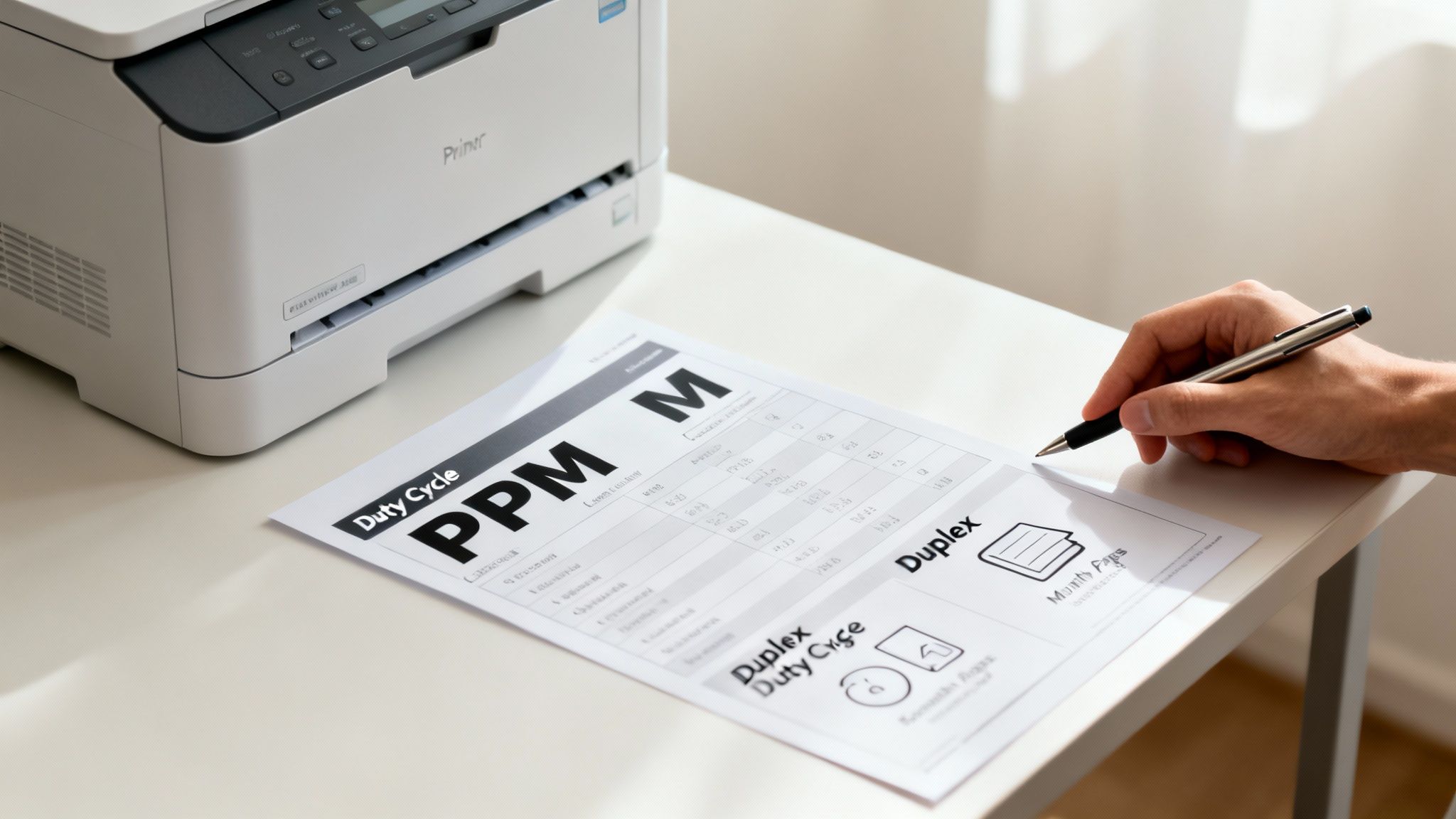
When you start shopping for a laser printer, the spec sheet can look like a foreign language. But once you know what to look for, those numbers and acronyms tell you the real story of how a machine will perform in your business—not just on the shelf.
Think of it like reading the stats on the back of a rugby player's card. It tells you their strengths, their endurance, and whether they're the right fit for your team's needs. Getting your head around these key specs is the first step to choosing a printer that helps, rather than hinders, your daily workflow.
Print Speed and Endurance: The Core Performance Metrics
Two of the biggest numbers you’ll see are PPM (Pages Per Minute) and Duty Cycle. These tell you exactly how fast the printer is and how much of a beating it can take. For any busy Kiwi business, getting this balance right is everything.
PPM is all about productivity. A printer with a quick 40-50 PPM rating means your team isn't standing around waiting for a big report to finish printing. It’s the difference between getting a contract signed on the spot and having an awkward five-minute delay that kills the momentum in a client meeting.
The other half of the equation is the Maximum Monthly Duty Cycle. I like to think of this as the redline on a car's engine—it's the absolute maximum number of pages the printer can churn out in a month before you risk serious damage. But you should never, ever aim to hit it.
Pro Tip: Ignore the maximum duty cycle and look for the Recommended Monthly Print Volume. This is the manufacturer's suggested sweet spot for healthy, consistent performance. A printer that stays within this range will run reliably for years, whereas one constantly pushed to its limit is a recipe for burnout and expensive repairs.
When choosing a printer, it's essential to understand how these specifications translate into tangible benefits for your business. The table below breaks down the must-know features.
Key Laser Printer Specifications at a Glance
| Specification | What It Means | Ideal For |
|---|---|---|
| PPM (Pages Per Minute) | The raw speed of the printer. Higher PPM means faster printing for large jobs. | Offices with high-volume printing needs, like law firms or real estate agencies. |
| Duty Cycle | The maximum number of pages a printer can handle in a month without failing. | A measure of durability; high-duty-cycle printers are built for demanding environments. |
| Duplex Printing | Automatic double-sided printing. A simple feature that saves a huge amount of paper. | Any business printing reports, manuals, or internal documents. Essential for cost savings. |
| Connectivity | How the printer connects to your devices, typically via Wi-Fi or Ethernet. | Wi-Fi offers flexibility for mobile teams; Ethernet provides a stable, wired connection for a central office hub. |
| Paper Capacity | The number of sheets the paper tray can hold before needing a refill. | High-capacity trays (250-500+ sheets) are crucial for busy offices to minimise downtime. |
Ultimately, these specs aren't just numbers on a page; they directly impact your team's efficiency, your operational costs, and the overall smoothness of your workday.
Must-Have Features for Modern NZ Offices
Beyond the headline numbers for speed and volume, a few other features have become non-negotiable for a modern, efficient workplace. These are the details that save you time, money, and hassle.
-
Duplex Printing: This is just a fancy term for automatic double-sided printing. Honestly, it’s a non-negotiable feature that instantly cuts your paper consumption by up to 50%. If you’re printing multi-page reports, invoices, or training materials, duplexing is an absolute must-have for managing costs and reducing waste.
-
Connectivity (Wi-Fi and Ethernet): A printer should be a seamless part of your office, not a bottleneck. An Ethernet port is perfect for plugging the printer directly into your network for rock-solid, reliable access for everyone at their desks. Wi-Fi adds a layer of flexibility, letting staff print directly from laptops, tablets, and even their phones without fumbling with cables—perfect for a dynamic office or boardroom.
-
Paper Handling: Pay close attention to the paper tray capacity. A small 150-sheet tray might seem fine for a one-person operation, but it becomes a constant source of annoyance in a busy office. Look for models with a 250- or 500-sheet main tray to cut down on refill trips. It's also worth checking for a multi-purpose tray, which is brilliant for handling odd jobs like printing on envelopes or thicker card stock without having to empty the main tray.
Understanding the True Cost of Printing in New Zealand
The sticker price on a laser printer is just the first chapter of its financial story. For any Kiwi business keeping a close eye on the budget, the number that really matters isn't the upfront cost. It’s the Total Cost of Ownership (TCO), and the heart of that calculation is your cost per page.
It’s an easy trap to fall into: buying the cheapest printer on the shelf only to discover it chews through expensive, low-yield toner cartridges. A printer that costs a bit more upfront but uses efficient, high-yield toner can easily save you thousands over its lifetime. Thinking long-term is the key to a smart investment.
Calculating Your Cost Per Page
Working out this number is simpler than you’d think, and it’s the best way to get a true apples-to-apples comparison between models. It cuts through the marketing fluff and shows you exactly what a printer will cost to run.
The formula is dead simple:
Toner Cartridge Price / Page Yield = Cost Per Page
For example, a $90 toner cartridge that promises 1,500 pages works out to 6 cents per page. On the other hand, a $200 high-yield cartridge that delivers 10,000 pages costs just 2 cents per page. That tiny difference becomes a huge one when you’re printing thousands of pages a year.
Smart Toner Management Strategies
Getting a handle on your toner consumption is one of the quickest ways to rein in your printing budget. This isn't just about buying the cheapest cartridge you can find; it’s about having a proper strategy for purchasing and use.
Here are a few practical tips for any NZ business:
- Prioritise High-Yield Toners: If your printer model has high-yield or "XL" cartridges available, always go for those. They have a much lower cost per page and you won't have to replace them as often, saving you both time and money.
- Avoid Emergency Buys: Plan ahead. Those last-minute dashes to the office supply store almost always mean you're paying a premium. Keeping a spare cartridge on hand is a simple fix.
- Consider Third-Party Cartridges Carefully: They can be cheaper, but make sure you’re buying from a reputable local supplier. The last thing you want is a cheap cartridge that voids your printer’s warranty.
The printers and copiers market, which heavily features the laser printers new zealand businesses rely on, is projected to hit US$13.59 million NZD in revenue in 2025. This technology really took off in local offices back in the early 2010s for its speed and cost-efficiency. With toner yields often topping 5,000 pages, it was a world away from the constant refilling of inkjets. You can read more about the growth of the printer market to get a better sense of these trends.
For businesses that would rather offload this whole process, a managed print service can be a lifesaver. These services typically bundle toner supply, maintenance, and support into one predictable monthly fee. To get a better handle on optimising your office printing and the costs involved, check out this guide on a Managed Print Solution. It’s a great way to take all the guesswork out of managing your printer fleet.
Matching the Printer to Your Kiwi Business
A printer for a busy law firm in central Auckland has a totally different job to do than one tucked behind the counter of a boutique shop in Arrowtown. The secret to getting the right machine isn't just about comparing speeds and feeds; it’s about understanding what your business actually does day-in, day-out.
Think about it this way: a Queenstown café needs a small, reliable mono laser printer that can fire out crisp menus and order dockets without fuss. Speed isn't the big concern here, but a small footprint and cheap running costs are. On the other hand, a logistics company in Tauranga printing thousands of shipping labels every day needs an absolute workhorse. For them, a high PPM and a massive duty cycle are the only things that matter.
The right printer should just work, seamlessly fitting into your daily operations instead of becoming a frustrating bottleneck.
Printer Specs Recommended by NZ Business Type
To make it easier, let's connect the dots between what different Kiwi businesses do and the printer specs that will serve them best. This table breaks down the essentials for a few key sectors.
| Industry Sector | Primary Use Case | Recommended PPM | Key Features |
|---|---|---|---|
| Real Estate | High-quality client brochures, window cards, contracts | 20-30 PPM (Colour) | High resolution (1200+ DPI), multi-purpose tray for card stock, Wi-Fi connectivity |
| Hospitality/Retail | Invoices, receipts, daily menus, staff rosters | 25-35 PPM (Mono) | Reliability, low cost-per-page, multi-function (scan/copy), compact footprint |
| Legal/Accounting | Multi-page documents, client files, official records | 35-45 PPM (Mono) | Automatic duplex printing, large paper tray (500+ sheets), robust security features |
| Education/Training | Bulk handouts, worksheets, research papers, booklets | 40+ PPM (Mono) | Extremely low cost-per-page, high-yield toner options, high monthly duty cycle |
| Creative/Marketing | Proofs, marketing collateral, presentations | 20-30 PPM (Colour) | Excellent colour accuracy (PANTONE calibration), A3 printing capability, versatile media handling |
As you can see, the "best" printer is entirely relative to your industry's demands. Now, let's dive deeper into a few of these examples.
Real Estate: Selling with Stunning Visuals
For real estate agents from Christchurch to Wellington, first impressions count for everything. Your most critical need is the ability to produce sharp, vibrant brochures and window displays right in the office.
-
Your Priority: A colour laser printer is non-negotiable. Look for one with a high resolution—at least 1200 x 1200 DPI—to make property photos pop.
-
Paper Handling: You'll need a printer with a versatile multi-purpose tray. This allows you to easily feed through the glossy, heavier card stock used for professional marketing materials without it jamming.
-
Connectivity: Wi-Fi printing is a must. It gives agents the flexibility to print contracts or property flyers directly from their tablets or phones while they're with clients.
Hospitality and Retail: All About Efficiency
In the fast-paced world of hospitality and retail, printers are the unsung heroes of daily operations. They’re churning out guest registration forms in a Rotorua motel, printing daily specials for a Napier restaurant, or running off promotional flyers for an Auckland shop.
For these businesses, reliability and low running costs are king. A multi-function device that can print, scan, and copy invoices is often the most sensible choice. It bundles all those back-office tasks into one efficient machine.
The data from the New Zealand market backs this up. In 2024 alone, Kiwi businesses spent NZ$8.5 million on laser printers, with multi-function models taking a huge 55% share of that. This trend is particularly strong among Auckland retailers, who've managed to cut their printing expenses by around 25% by switching to laser printers with high-efficiency toner cartridges that yield roughly 7,000 pages. You can dig into more of these trends by checking out data on the NZ printer market.
Education: High Volume, Low Cost
Schools, universities, and training centres have a very straightforward, but very demanding, printing need: they have to produce enormous volumes of clear, readable documents as cheaply as humanly possible.
This simple chart shows how your printing volume should guide your toner choice to keep costs down.
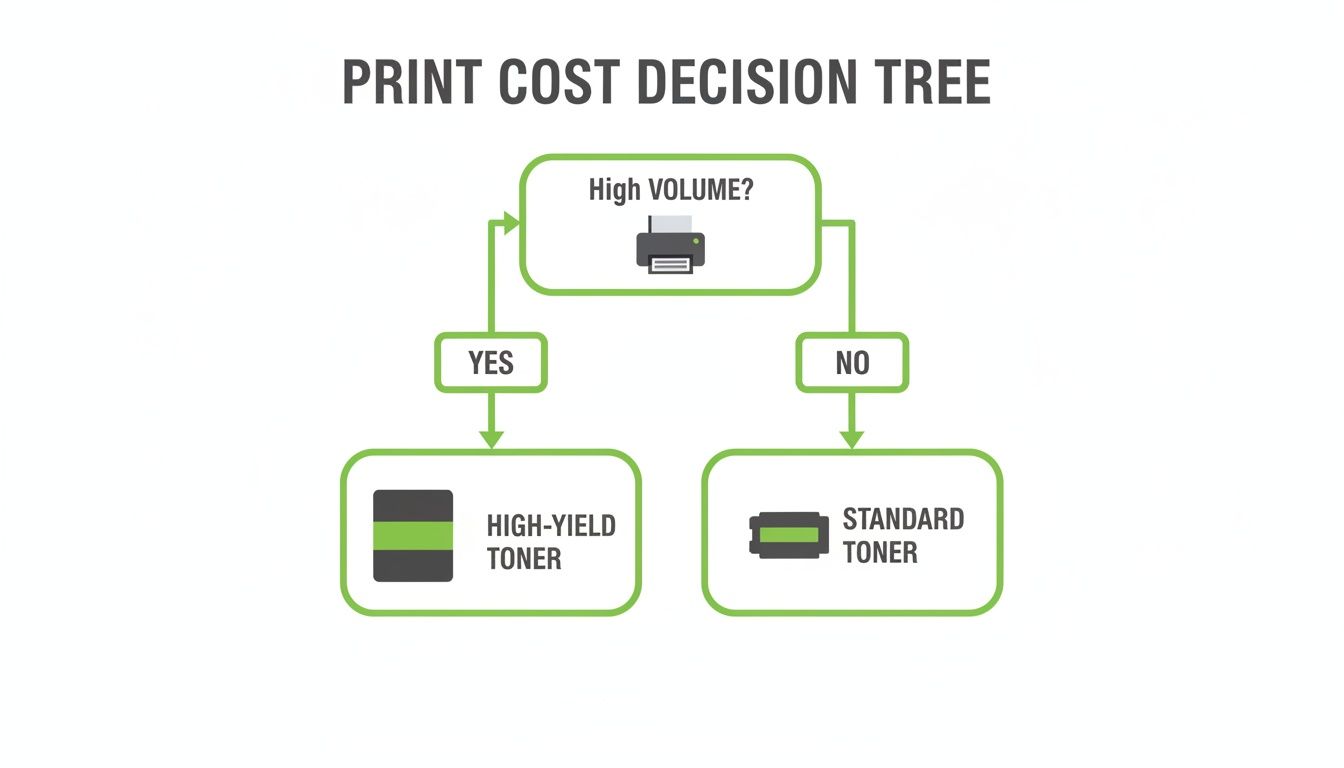
The message is clear: for a high-volume place like a school, buying high-yield toner cartridges from the start is the smartest way to slash your cost-per-page.
-
Top Priority: A tough monochrome laser printer with an exceptionally low cost per page is the only sensible investment.
-
Key Specs: You’ll want a machine with a high recommended monthly print volume, a massive paper tray (500+ sheets), and a fast PPM to get through big print jobs without someone having to constantly babysit it.
-
Must-Have Feature: Duplex printing is essential. It automatically prints on both sides of the paper, instantly halving your paper consumption for all those worksheets and course notes.
Navigating Local Support and Sustainable Printing
Buying your laser printer is just the first step. The real challenge—and where you can see a massive difference in value—is keeping it running smoothly day in, day out. This is where thinking locally about support and sustainability pays huge dividends for Kiwi businesses.
Choosing where you buy from is a bigger decision than most people think. Sure, you can grab a printer from a big-box retailer, but a specialised local supplier is more of a long-term partner. They get the pressures that New Zealand businesses are under and can give you advice and service that’s genuinely useful.
The true worth of a local specialist shines through the moment something goes wrong. When you’re up against a tight deadline, having responsive, on-site support turns a potential day-long crisis into a minor hiccup.
Ultimately, a local-first approach means you’ve got someone in your corner who’s invested in your success, not just in making a sale.
Local Support and Service Contracts
When your printer is the workhorse of your office, you can’t afford to be offline for days waiting for a fix. This is where a service contract with a local New Zealand provider is worth its weight in gold, giving you peace of mind and keeping your business running.
A good service agreement usually covers:
- Preventative Maintenance: Regular check-ups to keep your machine in top shape and spot trouble before it starts.
- On-Site Repairs: A technician comes to you, which saves you from the nightmare of trying to pack up and ship a heavy machine.
- Guaranteed Response Times: Knowing someone will be there within a set window, like 4-8 business hours, is incredibly valuable.
Embracing Sustainable Printing in Aotearoa
For many Kiwi businesses, sustainability isn't just a buzzword; it's a core value. Your printing choices, from energy consumption to how you dispose of old gear, are a big part of that commitment.
The good news is that managing this responsibly in New Zealand is pretty straightforward. Most big brands and office supply stores have recycling programmes for used toner cartridges, making it easy to keep them out of our landfills. It’s a small step that feeds into a much bigger circular economy.
When it’s finally time to say goodbye to an old printer, e-waste services across the country can handle it properly, recovering materials and preventing pollution. To really get this right, you need to think about the full lifecycle of your equipment. For a bit more context, it's worth understanding the global environmental impact of e-waste. Making thoughtful choices here helps protect the beautiful environment we all love here in Aotearoa.
Got a Few Lingering Questions?
Alright, you've got the lay of the land, but a few questions might still be bouncing around your head. That's completely normal. Making the right choice for your business means getting all the details sorted, so let's tackle the most common queries we hear from Kiwi business owners.
Think of this as the final checklist before you commit. We'll cover everything from long-term running costs to the nitty-gritty of technical specs, making sure you have total confidence in your decision.
Are Laser Printers Really Cheaper Than Inkjet for a Kiwi Business?
For almost every business scenario, the answer is a definite yes. It's easy to get drawn in by the low sticker price of an inkjet printer, but that's where they get you. The real story is in the total cost of ownership, and that's where laser printers pull way ahead.
The magic is in the cost per page. A single toner cartridge can pump out thousands of pages, bringing your cost for each print down to just a few cents. Inkjet cartridges, on the other hand, print a fraction of that and need replacing all the time. For the day-in, day-out printing that most New Zealand businesses do, those frequent ink purchases add up incredibly fast.
Any money you save buying a cheap inkjet is usually lost within the first few months on expensive ink. The long-term savings from a laser printer's efficiency and low running costs almost always make it the smarter financial choice.
This simple economic reality is why laser printers have been the backbone of professional offices across Aotearoa for decades.
What’s the Deal with Duty Cycle vs. Recommended Print Volume?
Getting this one right is absolutely crucial if you want your printer to last. It’s a common mistake to look at the "Maximum Monthly Duty Cycle" and think, "Great, it can handle that much!" but that number isn't a target—it's a stress limit.
Think of the duty cycle like the redline on your car's tachometer. You can push the engine that hard, but if you do it constantly, you know something is going to break. It’s the absolute maximum the printer can physically output in a month before you risk serious, potentially terminal, damage.
The figure you really need to pay attention to is the "Recommended Monthly Print Volume." This is the number that matters.
- It's the sweet spot: This is the print range the manufacturer actually designed the machine to operate in, day after day, for years.
- It’s about longevity: Sticking within this volume prevents premature wear and tear on all the moving parts.
- It ensures reliability: A printer working within its happy place is far less likely to give you grief with paper jams, annoying error messages, or a drop in print quality.
To make sure your new printer is a reliable workhorse and not a source of constant frustration, always pick a model where your typical monthly output sits comfortably inside that recommended volume.
Where Can I Recycle My Old Toner Cartridges in New Zealand?
Good news on this front—recycling used toner cartridges here in New Zealand is incredibly straightforward and, more importantly, the right thing to do. Pretty much every major printer brand and office supply store has a free take-back programme to keep these things out of our landfills.
You can usually just drop off your used cartridges at nationwide retailers like Warehouse Stationery or Noel Leeming. On top of that, many of the big brands like HP and Brother will even give you postage-paid mailers so you can send your empties back to them for free.
Taking a minute to do this is a bigger deal than you might think. Toner cartridges are a complex mix of plastics, metals, and leftover toner dust that can cause real harm if they end up in the tip. Recycling ensures those materials get a second life, which lines up perfectly with New Zealand's commitment to looking after our environment. It’s a small step that makes a real difference.
Ready to bring your business's story to life with stunning print quality? At SONI DESIGN, we specialise in creating vibrant, professional print materials that capture your vision. Contact us today to discuss your next project!
Leave a Comment
Stay home & get your daily
needs from our shop
Start You'r Daily Shopping with Nest Mart